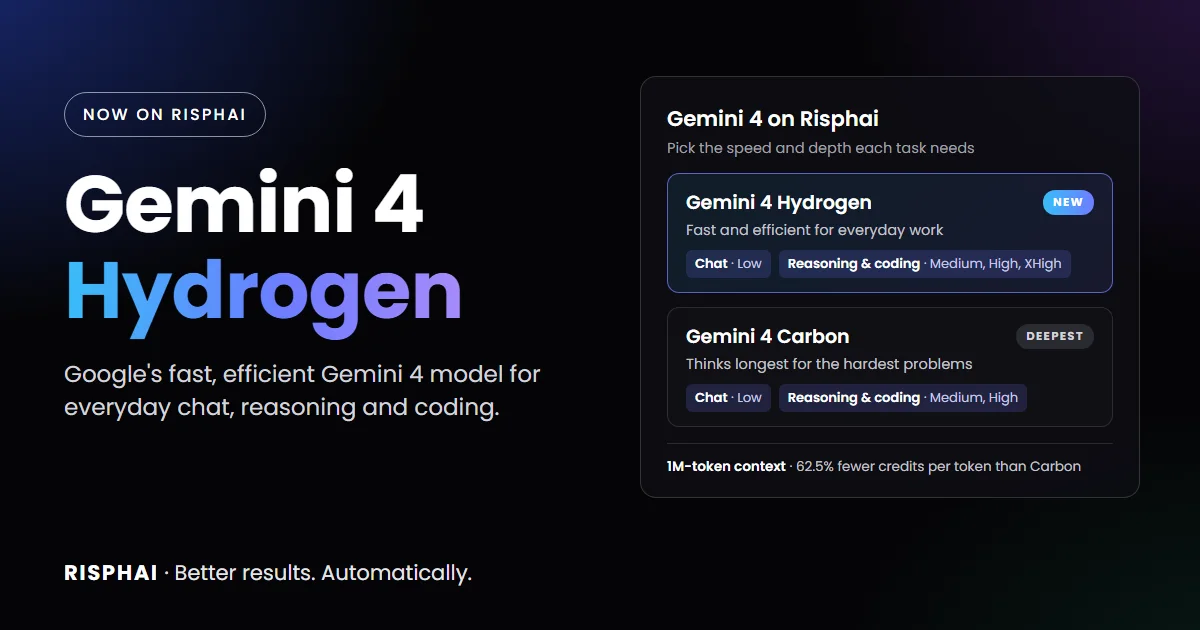
Gemini 4 Carbon Is Now on Risphai: Google's Strongest Reasoning Model
Gemini 4 Carbon, Google's strongest reasoning model, is now on Risphai for chat, reasoning and coding. See benchmarks, pricing and Carbon vs Argon.
By Risphai
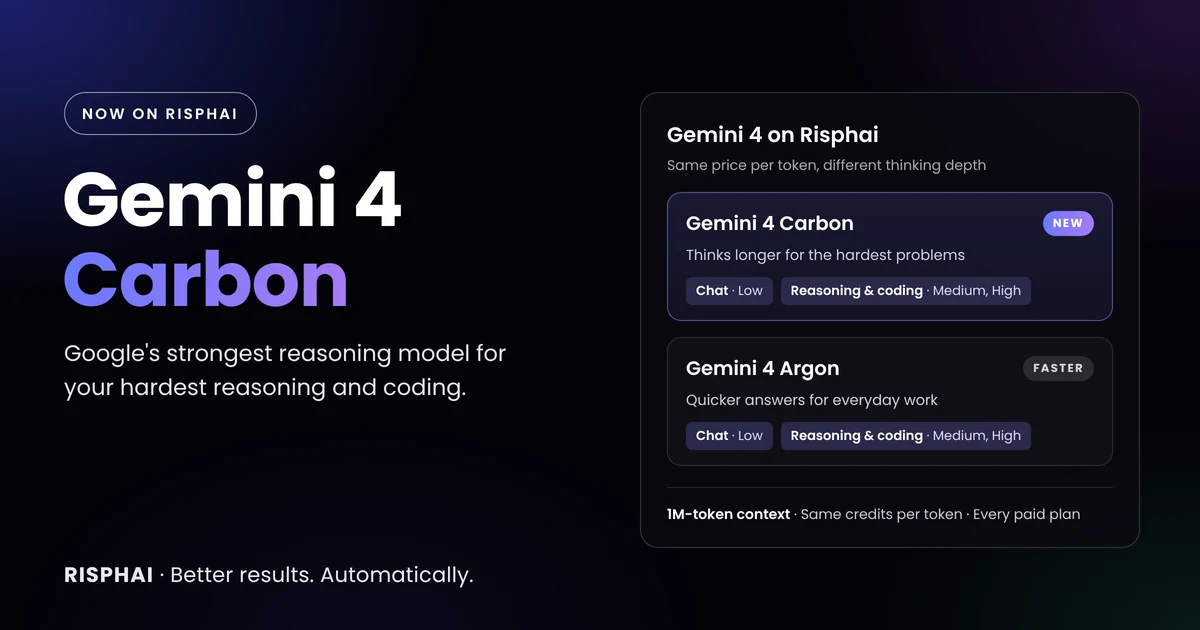
Gemini 4 Carbon joins Gemini 4 Argon on Risphai. Both cost the same per AI word, and Carbon thinks longer on hard problems.
Gemini 4 Carbon is now on Risphai. Google made it generally available on November 10, 2026 and calls it its strongest reasoning model. You can use it today for chat, reasoning and coding on every paid plan, at the same price per AI word as Gemini 4 Argon.
Carbon is built on Gemini 4 Argon, and the difference is how hard it thinks. On difficult problems, it spends more thinking AI words to test ideas, verify its work and check edge cases before it answers. That makes it slower and usually more expensive per answer than Argon, but stronger on the tasks where getting it right matters most.
Deeper thinking on hard problems. Carbon explores more hypotheses and runs longer checks before it answers. Google recommends it for complex debugging, architecture design, dense documents, scientific proofs and security reviews.
Build-and-verify coding. Google says it runs deeper build-and-verify loops in complex projects, isolates root causes and checks fixes against tests. It is also stronger at frontend design and 3D scenes.
More careful knowledge work. Google reports stronger source grounding and fewer unsupported claims in dense PDFs, spreadsheets and slides, with strict adherence to output formats.
Science and security. Google highlights better results on formal proofs, data analysis, finding vulnerabilities and fixing them.
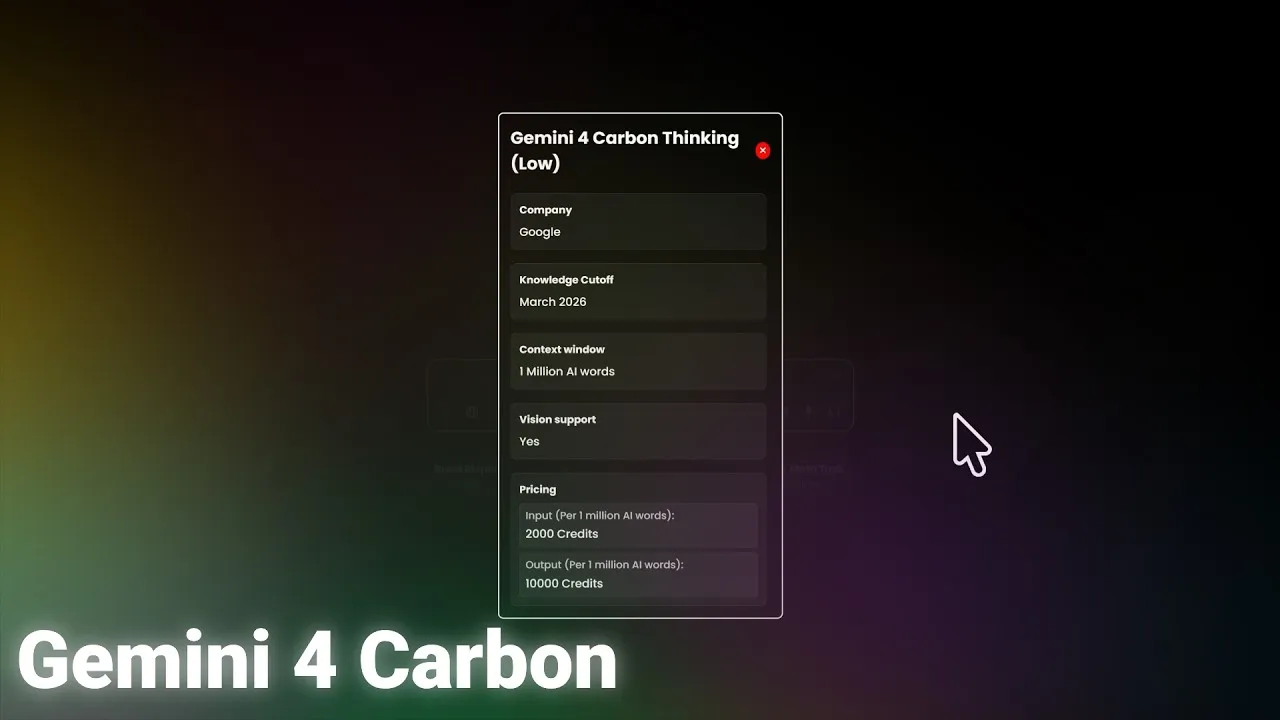
Long context. Like Argon, Carbon reads up to 1,048,576 AI words at once, enough for very long documents, large codebases or long conversations.
These are Google's own statements. We haven't tested them ourselves, and results in your own work can differ.
Gemini 4 Carbon Benchmarks
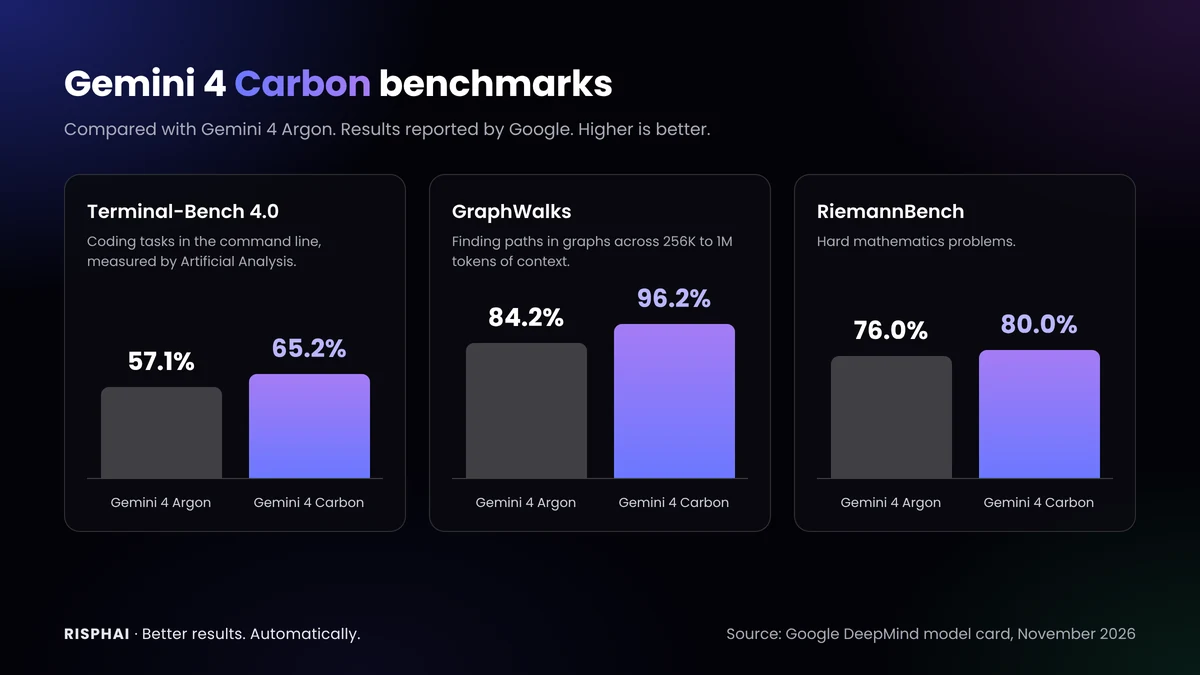
Gemini 4 Carbon compared with Gemini 4 Argon. Results reported by Google.
These are results Google published in the Gemini 4 Carbon model card, as of October 2026. We haven't run these benchmarks ourselves. The best score in each row is in bold.
Benchmark
What it tests
Gemini 4 Carbon
Gemini 4 Argon
GPT-6 Astra
Claude Opus 5.5
Artificial Analysis Intelligence Index v5.0
Overall intelligence
59
50
57
58
Vals Index v2.2
Real-world tasks
70.4%
69.2%
65.0%
70.2%
Terminal-Bench 4.0
Coding in the command line
65.2%
57.1%
59.1%
59.6%
FrontierSWE 2
Software engineering
61.2%
55.0%
65.5%
62.3%
OSWorld-2.1
Computer use
81.5%
74.7%
80.9%
87.2%
AutomationBench (Zapier)
Business workflows
53.9%
51.3%
41.4%
42.5%
Chartography
Reading charts
72.5%
71.6%
71.0%
66.3%
GraphWalks, 256K to 1M AI words
Long context
96.2%
84.2%
71.8%
66.8%
RiemannBench
Math
80.0%
76.0%
72.0%
69.6%
CWE-bench
Fixing security flaws
71.0%
68.0%
68.0%
67.0%
Carbon beats Argon on every benchmark in the model card. Against other companies' models, the picture is mixed: in Google's own table, GPT-6 Astra leads on FrontierSWE 2 and Claude Opus 5.5 leads on OSWorld-2.1. Google's table doesn't include Claude Fable 5.2, and GPT-6 Astra isn't on Risphai. Google's security results were measured with the access its Fairwind Program gives to verified cyber defenders.
Independent results are similar. OpenRouter's model page lists an Artificial Analysis Intelligence Index of 60 for Carbon at High thinking and a Vals Index of 70.5%. Benchmarks measure specific tasks, so results in your own work can differ.
Gemini 4 Carbon vs Gemini 4 Argon: Which Should You Use?
Both models are on Risphai, and Google built them for different jobs:
Gemini 4 Argon
Gemini 4 Carbon
Best for
Everyday reasoning, coding and quick answers
The hardest reasoning, coding and analysis
Thinking per answer
Less
More
Speed
Faster
Slower
Credits per AI word
Same
Same
Credits per answer
Usually fewer
Usually more, because it thinks longer
Context window
1,048,576 AI words
1,048,576 AI words
Knowledge cutoff
March 2026
March 2026
Plans
Every paid plan
Every paid plan
Google recommends Argon for interactive coding, day-to-day feature work and fast production loops, and Carbon for tasks that push the limits of reasoning depth. That makes a simple rule: use Argon by default, and switch to Carbon when a problem is hard or the first answer isn't good enough. You can switch between them in the same chat. Compare all specs on the Gemini 4 Argon vs Gemini 4 Carbon page.
Where You Can Use Gemini 4 Carbon on Risphai
Function
Model option
Thinking levels
Chat
Gemini 4 Carbon Thinking (Low)
Low
Reasoning
Gemini 4 Carbon Thinking
Medium, High
Coding
Gemini 4 Carbon Thinking
Medium, High
When Gemini 4 Carbon handles your chat, Risphai also uses it to write the answers to your web searches, URL reading and research. If Gemini 4 Carbon is unavailable or your balance doesn't cover a request, Risphai automatically uses another model so your request still finishes, and shows you which model answered.
Medium and High for Reasoning and Coding
With this release, reasoning and coding offer Gemini 4 Carbon and Gemini 4 Argon with Medium and High thinking only. Google says quality can drop on hard tasks at Low and recommends Medium for most tasks, including complex code. Reasoning and coding are exactly where these models should think, so Low stays in chat, where fast answers matter more.
If you had saved Gemini 4 Argon Thinking (Low) for reasoning or coding, Risphai now runs it at Medium. You don't need to change anything.
Which Thinking Level to Choose
Gemini 4 Carbon always thinks before it answers. The thinking level sets how much:
Level
Where
Best for
Low
Chat
Quick answers, everyday questions and writing that needs light thinking
Medium
Reasoning and coding
Most tasks, including complex code. Google's recommended default
High
Reasoning and coding
The hardest math, science and code problems
Higher levels usually give better results on hard problems, but take more time and credits. On very hard tasks, Carbon can think for several minutes. Risphai shows a summary of its thinking while it works.
Prompts to Try
Gemini 4 Carbon is strongest when a task needs careful, step-by-step work. These requests are a good start:
"Find the root cause of this bug, explain why it happens and give me a fix that passes these tests." (with your code and tests)
"Review this payment code for race conditions during retries and rewrite the locking safely." (with your code)
"Read this 80-page report and list every claim with the page that supports it." (with your file)
"What does this chart show? Check whether the conclusion in the caption really follows from the data." (with a screenshot)
"Prove this statement or find a counterexample, and explain each step."
"Build a 3D solar system in a single HTML file that I can rotate with the mouse."
On Risphai, Gemini 4 Carbon can also run Python to check its math, analyze your data or draw charts, and runnable HTML, CSS and JavaScript can be previewed right in the chat. Always double-check important answers, especially about money, law or health. AI can make mistakes.
Choose a plan. Selecting models needs the Lite, Standard or Premium plan or Pay As You Go credits. See the Pricing page.
Switch to Advanced mode and open the model settings in the chat box.
Pick Gemini 4 Carbon. Choose Gemini 4 Carbon Thinking (Low) for chat, or Gemini 4 Carbon Thinking for reasoning or coding and set Medium or High.
Ask your question. You can save your selection as your default and switch models at any time.
Gemini 4 Carbon Pricing on Risphai
Gemini 4 Argon
Gemini 4 Carbon
Input, per million AI words
2,000 credits
2,000 credits
Output, per million AI words (including thinking)
10,000 credits
10,000 credits
For example, a request with 10,000 input AI words and 2,000 output AI words uses about 40 credits with either model. Because thinking counts as output and Carbon usually thinks longer, the same question often uses more credits with Carbon. Repeated parts of a conversation can be cached, which lowers the cost of long chats. Like every response, the total also includes the processing charge described in the Terms. The exact credits are shown for each response, and current prices are on the Gemini 4 Carbon model page.
Risphai doesn't train AI models on your conversations. See the Privacy Policy for how each privacy mode works and which providers handle your requests.
Google, Gemini and Google AI Studio are trademarks of Google LLC. Risphai isn't affiliated with or endorsed by Google. Model details and results are taken from Google's public announcement, developer documentation and model card as of November 12, 2026.
Gemini 4 Carbon is an AI model from Google, generally available since November 10, 2026. Google calls it its strongest reasoning model. It is based on Gemini 4 Argon but spends more thinking AI words to explore, verify and check its work before it answers, which makes it better suited for hard coding, science and analysis tasks.
Is Gemini 4 Carbon available on Risphai?
Yes. Since November 12, 2026, you can choose Gemini 4 Carbon Thinking (Low) for chat and Gemini 4 Carbon Thinking with Medium or High thinking for reasoning and coding. It is available on the Lite, Standard and Premium plans and with Pay As You Go credits.
What is the difference between Gemini 4 Carbon and Gemini 4 Argon?
Google says both models share the same 1 million AI word context window, tools and price per AI word. The main difference is how much they think: Carbon spends more thinking AI words per turn, so it is slower and usually uses more credits per answer, but it goes deeper on hard problems. Argon answers faster and uses fewer AI words, which suits everyday work.
Is Gemini 4 Carbon better than Gemini 4 Argon?
On hard tasks, Google's results say yes. In Google's model card, Carbon scores higher than Argon on every benchmark listed, for example 65.2% vs 57.1% on Terminal-Bench 4.0 and 59 vs 50 on the Artificial Analysis Intelligence Index. For simple questions, Argon is often the better choice because it answers faster and uses fewer credits.
How much does Gemini 4 Carbon cost on Risphai?
Gemini 4 Carbon costs 2,000 credits per million input AI words and 10,000 credits per million output AI words, including thinking. That is the same rate as Gemini 4 Argon. Because Carbon usually thinks longer, the same question often uses more output AI words and therefore more credits. Each response also includes the processing charge, and you see the exact credits for every response.
Can I use Gemini 4 Carbon for free?
No. The Free plan includes 100 credits every month and Risphai picks the models for you. To choose Gemini 4 Carbon yourself, you need the Lite, Standard or Premium plan or Pay As You Go credits.
Why is there no Low thinking level for reasoning and coding?
Google says quality can drop on hard tasks at Low and recommends Medium for most tasks, including complex code. Reasoning and coding are where Gemini 4 Carbon and Argon are meant to think, so Risphai offers Medium and High there. Low stays available in chat, where quick answers matter more. If you had saved Gemini 4 Argon Thinking (Low) for reasoning or coding, Risphai now runs it at Medium.
What is the context window of Gemini 4 Carbon?
Google lists a context window of 1,048,576 AI words that input, thinking and output share. On Risphai, a single response can be up to about 65,000 AI words, including thinking, which is Google's limit for standard responses.
What is the knowledge cutoff of Gemini 4 Carbon?
Google lists March 2026 as the knowledge cutoff for Gemini 4 Carbon, the same as Gemini 4 Argon. On Risphai, the model can use web search when a question needs newer information.
Which thinking level should I use for Gemini 4 Carbon?
Use Medium for most reasoning and coding. Google recommends it as the default for complex code and agent tasks. Switch to High for the hardest math, science and code problems. In chat, Risphai uses Low for faster answers.