AI Sound Effect Generator: Make Sound Effects From Text With ElevenLabs SFX v3
Describe a sound and Risphai makes it with ElevenLabs SFX v3. Hear 9 AI sound effects for videos, games and apps, with prompts, tips and pricing.
By Risphai·Updated
Ask for a sound in the chat, and Risphai answers with a sound effect you can play and download.
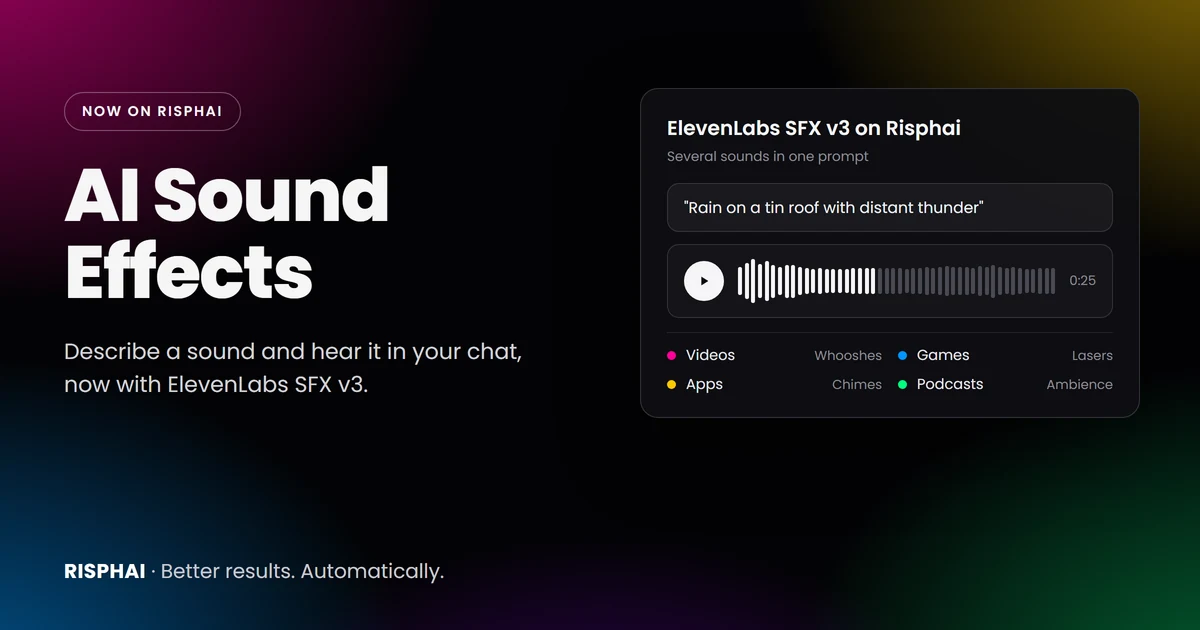
Risphai now makes sound effects with ElevenLabs SFX v3, the newest sound effects model from ElevenLabs. Describe a sound in plain words, like "rain on a tin roof with distant thunder," and Risphai creates it right in your chat, ready to play and download as an MP3.
Sound effects are available on paid plans and with Pay As You Go credits. Below you can hear nine sound effects made with SFX v3, see what each prompt looked like and learn how to get the sounds you want for videos, games, apps and more.
What's New in ElevenLabs SFX v3
ElevenLabs released SFX v3 on October 29, 2026. According to ElevenLabs, it improves on the previous model in three ways:
Several sounds in one prompt. SFX v3 follows prompts with several sounds more reliably, so more of the sounds you describe make it into the clip. That's what a full scene needs, like a busy market or a café.
Cleaner audio. ElevenLabs says it sounds cleaner and more natural, and adds fewer unwanted artifacts to gongs, chimes and whistles.
Better music and vocal elements in effects that mix a short musical phrase or vocal sound with other sounds.
On Risphai, the length is set automatically to fit the sound, up to 30 seconds: a quick chime stays short, while rain or a crowd plays longer. The price per sound effect is the same as before.
Hear It: 9 Sound Effects Made With SFX v3
Press play on any example. Each one shows the prompt it was made from.
Full Scenes With Several Sounds
Busy medieval market0:30
Prompt A busy medieval market: a blacksmith hammering on an anvil, a horse cart rolling over cobblestones, a merchant ringing a hand bell and a crowd chatting.
Coffee shop ambience0:25
Prompt A cozy coffee shop: cups clinking, an espresso machine hissing and soft, indistinct chatter.
For Videos and Trailers
Cinematic whoosh and impact0:03
Prompt A fast cinematic whoosh that builds into a deep, booming bass impact, for a movie trailer transition.
Creaking castle door0:06
Prompt A large, ancient wooden door slowly creaking open in an eerie, abandoned castle.
For Games
Sci-fi laser blaster0:03
Prompt A sci-fi laser blaster firing three quick shots, with a bright electric zap and a short echo.
Footsteps in snow0:15
Prompt Slow footsteps crunching through fresh, deep snow on a quiet winter night.
Ambience for Podcasts, Streams and Study
Thunderstorm on a tin roof0:25
Prompt Heavy rain drumming on a tin roof, with a deep roll of thunder in the distance.
Campfire at night0:30
Prompt A campfire crackling and popping at night, with crickets chirping in the background.
For Apps and Websites
App notification chime0:02
Prompt A soft, bright two-note notification chime for a mobile app.
How to Make a Sound Effect in Risphai
Open a chat. You don't need a separate app or tool.
Describe the sound. For example: "Make a sound effect of a sports car accelerating through a tunnel."
Let Risphai do the rest. Risphai turns your request into a detailed description of the sound and creates it with ElevenLabs SFX v3.
Play, download or change it. Listen in the chat, download the MP3 or ask for a variation, like "Make it more distant" or "Add rain in the background."
You don't need to know sound design terms. Write the way you'd describe the sound to a friend.
What You Can Use AI Sound Effects For
Videos, Reels and TikToks. Whooshes, impacts, risers and transitions that make cuts feel smooth.
Games. Weapons, footsteps, doors, pickups, UI clicks and creature sounds for prototypes or finished games.
Podcasts and streams. Intros, stingers and background ambience like rain, a café or a fireplace.
Apps and websites. Notification chimes, success sounds and button clicks.
Presentations and classes. A sound that makes a slide or a story come alive.
Tabletop and role-playing games. Taverns, storms and dungeons to set the mood at the table.
Tips for Better AI Sound Effects
Name the source and the action."A heavy wooden door slamming shut" works better than "a door sound."
Add the place. A sound in a cathedral, a forest or a small room sounds very different. "Footsteps in an empty parking garage" adds a natural echo.
Describe the mood. Words like eerie, cozy, tense or playful change the character of the sound.
Combine sounds for a scene. SFX v3 handles several sounds in one prompt more reliably, so you can ask for a whole scene, like a harbor with seagulls, waves and creaking ropes.
Ask for short or long sounds in words. Say "a short click" or "a long, steady rainfall" to guide the length.
Ask again for variations. Every generation is different, so try a few versions and keep your favorite.
Sound Effects, Music and Video in One Chat
Sound effects are one part of what Risphai can create. In the same chat, you can also:
Make music with Lyria 3.5 by Google. Ask for a genre, a mood or a whole song with lyrics.
Create images and videos with models like GPT Image 2.6, Nano Banana 2.1 and MiniMax H3 Max, then add your sound effects in your editor.
Write the script for your video, podcast or game scene before you make the sounds.
A sound effect uses about 50 credits, including the processing charge. You see the exact credits after every response.
Plan
Credits
Sound effects
Free
100 every month
Not included
Lite
3,000 every month
Included
Standard
7,500 every month
Included
Premium
20,000 every month
Included
Pay As You Go
Credits that don't expire
Included
All your credits work for everything: chat, images, video, music and sound effects. If you used Lite's 3,000 monthly credits only for sound, that's roughly 60 sound effects a month. Plan prices are on the Pricing page, and current model prices are on the Information page.
About These Examples
The sound effects in this article were made with ElevenLabs SFX v3 from the prompts shown, using the same settings Risphai uses. We didn't edit them. In Risphai, your request is first turned into a detailed sound description, and every generation is different, so your results will sound different. ElevenLabs, Lyria, GPT Image, Nano Banana and MiniMax are the names of their respective owners.
Start Making Sound Effects
Describe a sound, and Risphai makes it. Choose a plan on the Pricing page to make sound effects, music and videos in the same chat where you write and research.
An AI sound effect generator creates a new sound from a text description. You write what you want to hear, like "footsteps in fresh snow" or "a laser blaster firing," and the AI makes an audio clip of it. You don't need recordings, sound libraries or editing software.
Which AI model does Risphai use for sound effects?
Risphai uses ElevenLabs SFX v3, the sound effects model ElevenLabs released on October 29, 2026. If it is temporarily unavailable, Risphai may use an earlier ElevenLabs sound effects model so your request still completes.
Is the AI sound effect generator free?
No. Sound effects are available on the Lite, Standard and Premium plans and with Pay As You Go credits. The Free plan includes 100 credits every month for chat and images. Plans and prices are on the Pricing page.
How much does a sound effect cost?
A sound effect uses about 50 credits, including the processing charge. You see the exact credits after every response. On the Lite plan, 3,000 monthly credits are enough for roughly 60 sound effects if you use them only for sound.
How long are the sound effects?
Up to 30 seconds. ElevenLabs SFX v3 sets the length to fit the sound, so a notification chime is short and an ambience is longer. The examples in this article range from 2 to 30 seconds. You can't set an exact length.
What file format do I get?
Sound effects are MP3 files. You can play them in the chat and download them.
Can I use AI sound effects in videos, games or commercial projects?
Risphai doesn't claim ownership of what you create. Under the Terms and the terms of the underlying AI providers, you may use your creations for personal or commercial purposes. Results aren't guaranteed to be unique, and you are responsible for rights in any third-party material they contain.
Can Risphai make voiceovers or speech?
No. The sound effect generator is for sounds, not spoken words or voiceovers. For music, ask Risphai for a song, and it uses Lyria 3.5 by Google.
Do I need to write a detailed prompt?
No. Describe the sound in your own words. Risphai turns your request into a detailed sound description before it creates the sound, and you can ask for another version in the same chat.
ai sound effect generatorai sfx generatortext to sound effectssound effectsai sound effectselevenlabs sfx v3elevenlabsai audio generatoraudio generationai models