Video Understanding AI: Upload a Video or Audio File and Ask Risphai Anything
Upload a video up to 10 minutes or audio up to 2 hours and ask Risphai what happens, what is said and when. See a real example, costs, limits and privacy.
By Risphai
Attach a video, ask a question and get an answer with timestamps.
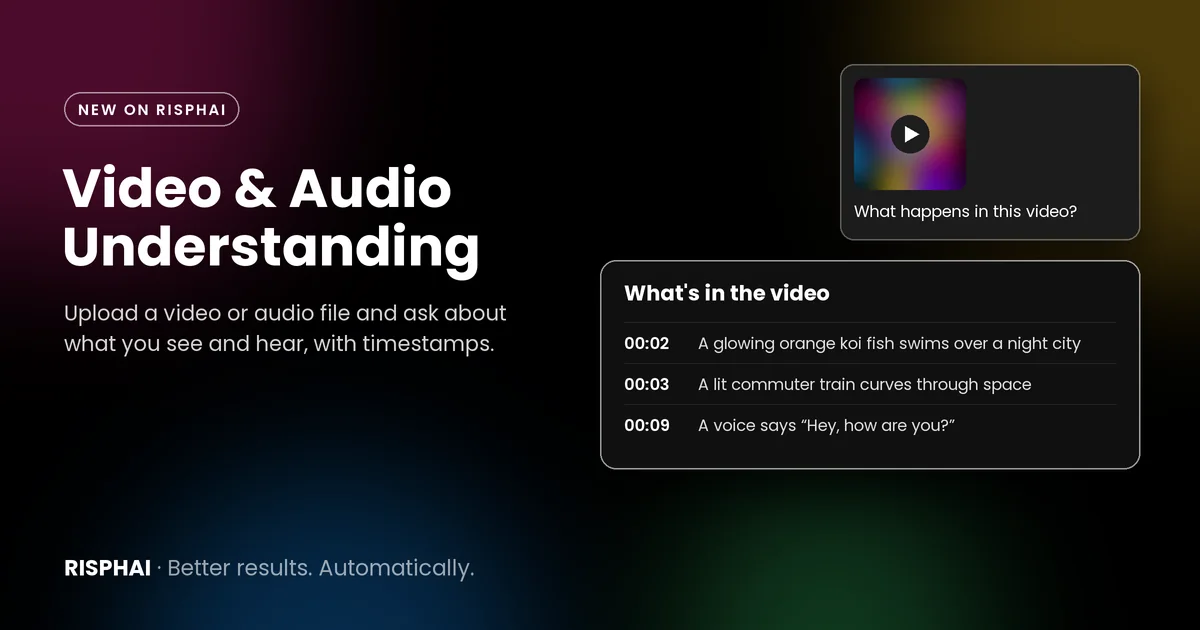
Risphai can now understand video and audio. Attach a video up to 10 minutes or an audio file up to 2 hours, ask your question, and Risphai answers using what it sees and what it hears, with timestamps.
Many tools that "chat with video" only read a transcript, so they miss everything that is shown but not said. Risphai looks at your video one frame per second and listens to the audio, so it can tell you what happens on screen, what is said and when both happen. It works on every plan, including Free.
What Video Understanding Looks Like
We uploaded a 12-second clip from our launch video, which shows Risphai's media generation features, and asked a simple question.
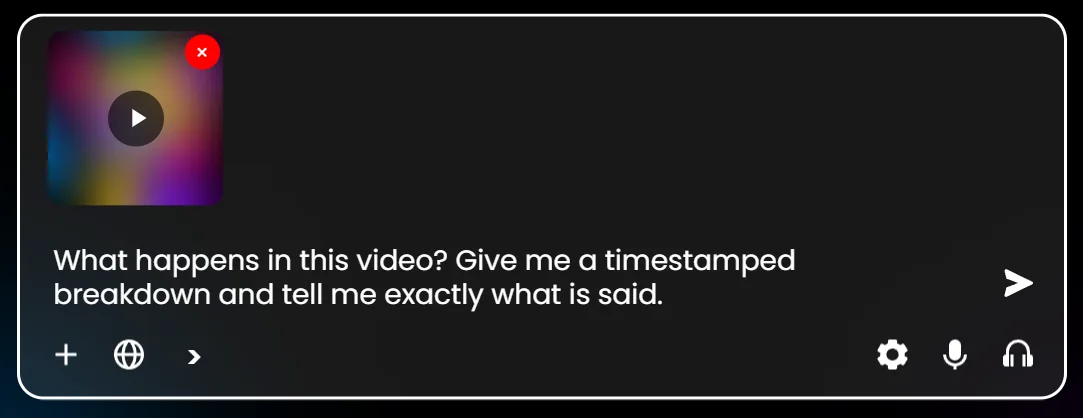
Attach a video with + and ask your question. The first frame becomes the preview.
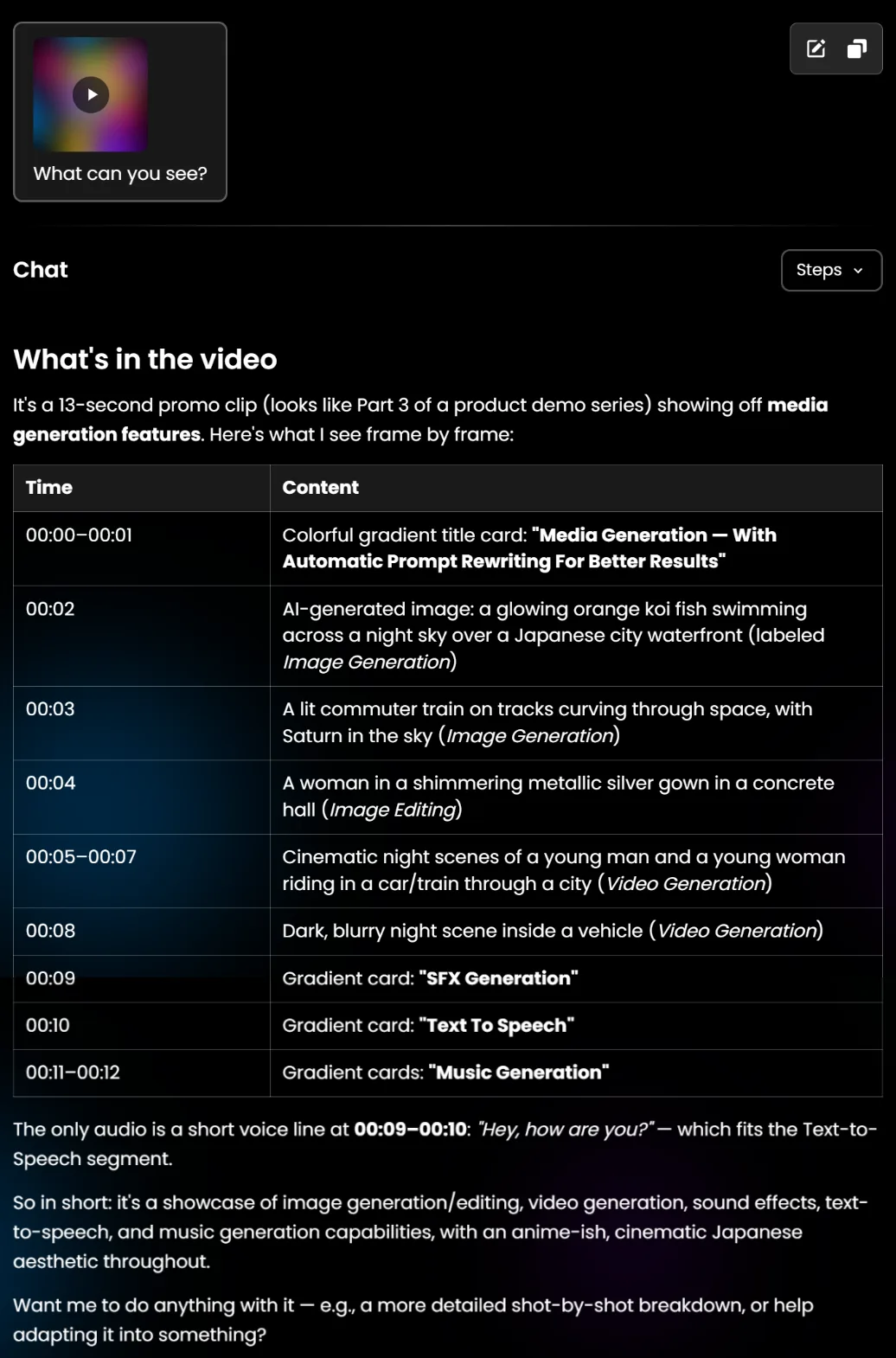
Here is Risphai's real answer to "What can you see?" about the same clip:
Risphai's answer: what appears at each second, the on-screen titles and the one spoken line with its timestamp.
Risphai read the on-screen titles, described each scene at the right second and caught the single spoken line, "Hey, how are you?", at 00:09–00:10. It also noticed that the voice line belongs to the text-to-speech segment, which means it connected what was said with what was shown.
How Risphai Understands Video and Audio
When you attach a file, Risphai prepares it in a few steps that you can follow in the upload progress window:
It looks at the picture. Your browser takes one frame per second, each with its timestamp, plus a preview image of the first frame.
It listens to the sound. The audio is transcribed with timestamps. Videos without sound skip this step and its cost.
It checks the content first. The frames, the preview image and the transcript are checked by OpenAI's moderation service. Your video file is uploaded only after everything passes.
It answers with context. When you ask a question, the transcript goes to the AI model that answers, and the frames go to a model that can analyze images, such as models from OpenAI, Google, Anthropic or xAI.
Audio files work the same way without the frames: the file is transcribed with timestamps, and every model on Risphai can use the transcript. If you only want the text, the microphone button also has a separate transcription tool.
What You Can Ask
Video understanding is useful whenever you need something from a video or recording without watching or listening to all of it:
Summaries:"Summarize this lecture in five bullet points with timestamps."
Finding a moment:"At what time does the speaker mention the budget?"
Scene breakdowns:"Give me a shot-by-shot breakdown of this ad."
On-screen text:"List every title and caption that appears in this video."
Meeting notes:"Write the decisions and action items from this recording."
Feedback on your edits:"Where does the pacing of this video feel slow?"
Comparing sound and picture:"Does what the narrator says match what is shown?"
Follow-up questions keep the file in context, so you can keep asking about the same video in the same conversation.
Supported Files and Limits
Video
Audio
Formats
MP4, MOV, M4V, WEBM
MP3, M4A, MP4, WAV, OGG, OPUS, FLAC, AAC, WEBM
Maximum length
10 minutes
2 hours
Maximum file size
100 MB
100 MB
What the AI receives
Frames (one per second) and a timestamped transcript
A timestamped transcript
Video and audio uploads work on every plan, in regular and incognito chats.
Video Understanding Pricing
Transcription uses a fixed rate of 50 credits per hour of audio, calculated from the length of the file:
File
Transcription cost
1-minute clip
0.84 credits
10-minute video
8.34 credits
1-hour recording
50 credits
2-hour recording
100 credits
Videos without sound are not transcribed, so they have no transcription cost. If transcription fails, the credits are returned. If a finished transcript or the frames are then flagged by content screening, the upload is rejected and the transcription credits stay charged.
Each answer about your file uses credits like any other response: the frames and transcript are sent with your messages as input, plus the processing charge described in the Terms. The exact credits are shown for each response, and current rates are on the Information page.
The Free plan includes 100 credits per month, enough to try video understanding with short clips. A 2-hour recording uses 100 credits for transcription alone, so long recordings and regular use are a better fit for a paid plan with 3,000 to 20,000 credits per month. Compare plans on the Pricing page.
Attach your file. Click + and choose a video or audio file, or drag it into the chat box.
Wait for the upload. Click See progress to follow each step.
Ask your question. For example: "What happens in this video? Give me a timestamped breakdown and tell me exactly what is said."
In Advanced mode on Paid plans, you can choose the preset or model that answers.
Good to Know
One frame per second. Details that appear for less than a second can fall between frames, so very fast motion may be missed.
AI can make mistakes. Check important details, especially names, numbers and exact quotes, against the original.
Recordings of other people. Only upload recordings you are allowed to share. Risphai does not use your uploads to identify people by their face or voice.
Files stay until you delete them. Uploaded videos and audio appear in the File Manager under Uploaded Videos and Uploaded Audios, where you can delete them.
Privacy
Audio is transcribed by xAI, and the frames, preview image and transcript are checked by OpenAI's moderation service before your video is uploaded. Neither step is covered by Zero Data Retention. Files are stored until you delete them, the conversation or your account, and files from incognito chats are scheduled for automatic deletion, as described in the Privacy Policy.
Try Video Understanding
Video and audio understanding is live on Risphai now. Attach a video or a recording, ask what you want to know, and Risphai answers with what it sees and hears. For more included credits, the higher quality presets and model selection, see the Pricing page. All changes in this release are in the v0.1.3 release notes.
Frequently Asked Questions
What is video understanding AI?
Video understanding AI looks at what happens in a video and listens to what is said, so you can ask questions about it instead of watching it yourself. On Risphai you upload the video in the chat, and the AI answers using both the picture and the sound, with timestamps.
Can Risphai watch videos?
Yes. When you attach a video, Risphai looks at it one frame per second, transcribes its audio with timestamps and sends both to an AI model that can analyze images. You can then ask what happens, what is said, when something appears or what text is shown on screen.
Which video and audio files can I upload?
Videos in MP4, MOV, M4V and WEBM format up to 10 minutes long, and audio files in MP3, M4A, MP4, WAV, OGG, OPUS, FLAC, AAC and WEBM format up to 2 hours long. Each file can be up to 100 MB.
How much does video understanding cost?
Transcribing the audio costs 50 credits per hour of audio, calculated from the length of the file, so a 10-minute video costs about 8.34 credits and a 1-minute clip about 0.84 credits. Videos without sound skip transcription. Every answer about the file then uses credits like any other response, including the processing charge. Current prices are on the Pricing page.
Can I use video understanding for free?
Yes. Video and audio uploads work on every plan, including the Free plan with 100 credits per month. Paid plans include 3,000 to 20,000 credits per month, the higher quality presets and model selection in Advanced mode, which suit longer files and more follow-up questions. See the Pricing page.
Does Risphai understand what is said in a video?
Yes. Risphai transcribes the audio with timestamps, so the AI can tell you what was said and when. The transcript is used together with the frames, so the AI can connect what is said with what is shown.
Can I paste a YouTube link instead of uploading?
Risphai can read the transcript of a YouTube video from a link when one is available, but it does not see the picture that way. To let Risphai look at the frames as well, download your own video and upload the file.
What happens if a video is flagged?
Every frame, the preview image and the transcript are checked by OpenAI's moderation service before the video file is uploaded. If anything is flagged, or the check cannot be completed, the upload is rejected and the video file is not uploaded. Credits for a finished transcription are not returned in that case.
Is my video private?
Your files are stored until you delete them, the conversation or your account. You can delete uploaded videos and audio in the File Manager. Transcription by xAI and content screening by OpenAI are not covered by Zero Data Retention. The Privacy Policy explains which providers process your files.
video understandingai video analysisaudio transcriptionfile uploadsmultimodal ai