What Is Prompt Optimization? How Risphai Improves Your Prompts Automatically
Prompt optimization turns short requests into clear instructions for AI. Learn how it works, how to write better prompts and how Risphai does it for you.
By Risphai
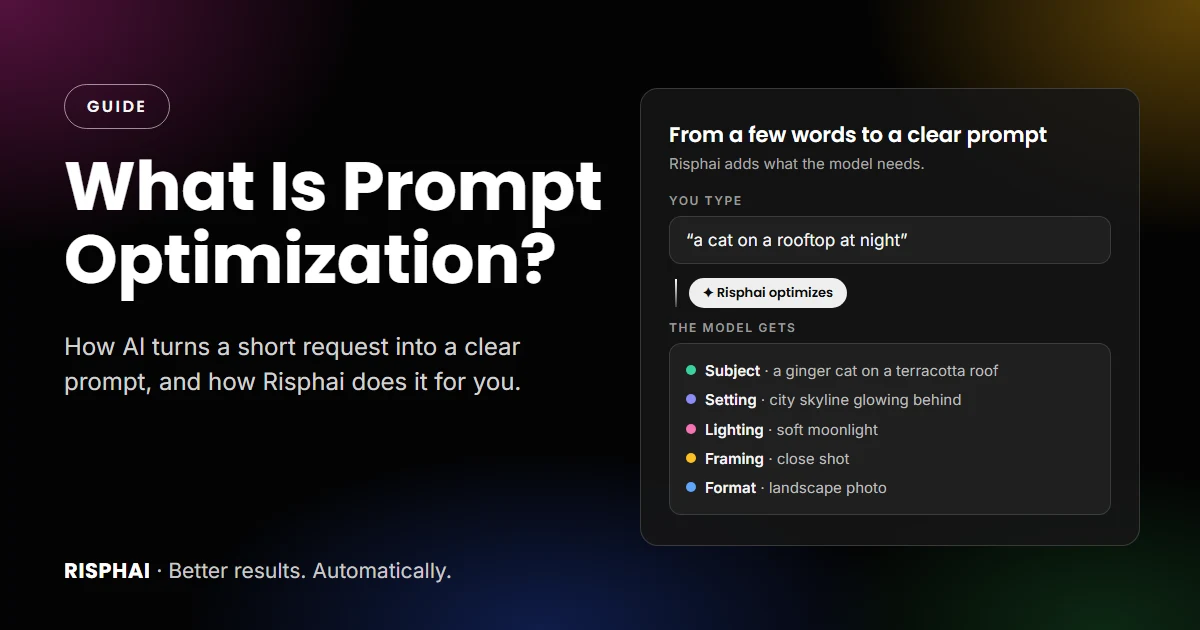
Prompt optimization: a short request becomes clear instructions the AI can follow.
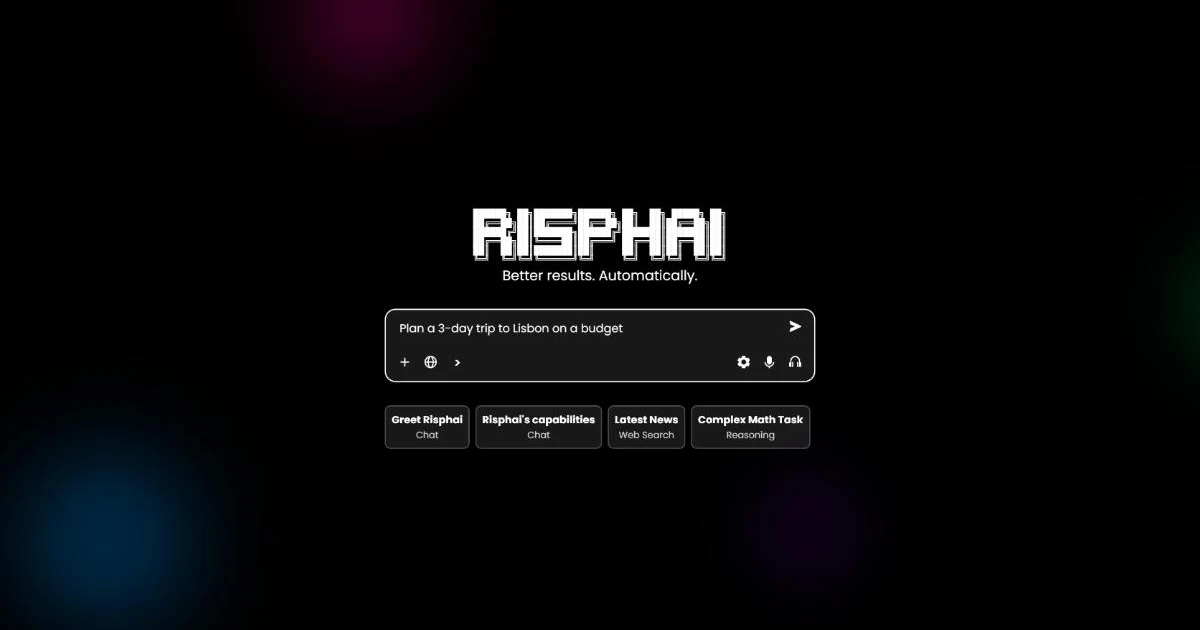
Prompt optimization is the process of improving the instructions you give an AI so it gives a better result. A short request like "a cat on a rooftop" leaves a lot of guesswork, while a clear prompt tells the model what you want, in what style and in what format. Risphai optimizes your prompts automatically: it recognizes the type of task, adds instructions written for that task and rewrites image, video and music requests into detailed prompts. You just type.
Most people don't want to become prompt engineers. They want a good answer, a useful text or a nice image. This guide explains what prompt optimization is, how to write better prompts yourself and how Risphai does the work for you.
What Is Prompt Optimization?
Prompt optimization, also called prompt rewriting or prompt enhancement, means turning a request into instructions an AI model can follow well. It can be done by hand, or automatically by an AI prompt optimizer that improves your prompt before it reaches the model.
Think of ordering at a café. "A coffee, please" gets you a coffee. "A large oat flat white, extra hot, to go" gets you your coffee. The barista is the same, but the order is clearer. AI models work the same way: the clearer the request, the closer the result is to what you had in mind.
Short prompt
Optimized prompt
What the model knows
Only the topic
The topic, the goal and the details
Style and format
Guessed
Stated
Result
Often generic
Closer to what you wanted
Follow-up messages
Usually several
Usually fewer
Why Prompts Matter
AI models are good at following instructions, but they can't read your mind. When a prompt is vague, the model fills the gaps with the most typical answer. That's why two people can ask the same AI for "a logo" or "an email" and get very different results.
A better prompt usually means:
Answers that fit. The right length, tone and format for what you need.
Fewer retries. Less time rewording the same request.
Better images and videos. Media models need visual details like lighting, framing and style to make what you imagine.
More value for your credits. Every retry uses credits, so getting closer on the first try saves them.
How to Write Better Prompts Yourself
If you want to optimize prompts by hand, these habits help with almost any AI tool. They're also what OpenAI and Anthropic recommend in their prompting guides.
Be specific. Instead of "Write about dogs," try "Write a short, friendly guide for first-time owners on house-training a puppy."
Give context. Who is it for, and what is it for? "For a school presentation" or "for my team's newsletter" changes the answer.
Describe the format. A table, a list, three bullet points, 200 words or a formal email.
Show an example. If you have a text whose style you like, paste it in.
Set limits. Mention the tone, the length or what to avoid.
Refine in follow-ups. "Shorter," "more casual" or "add a summary at the end" often works better than starting over.
These still make a difference on Risphai. Your own details are the one thing no optimizer can guess.
How Risphai Optimizes Your Prompts Automatically
Risphai improves every request in the background, on every plan. You don't need to press a button or learn a special syntax.
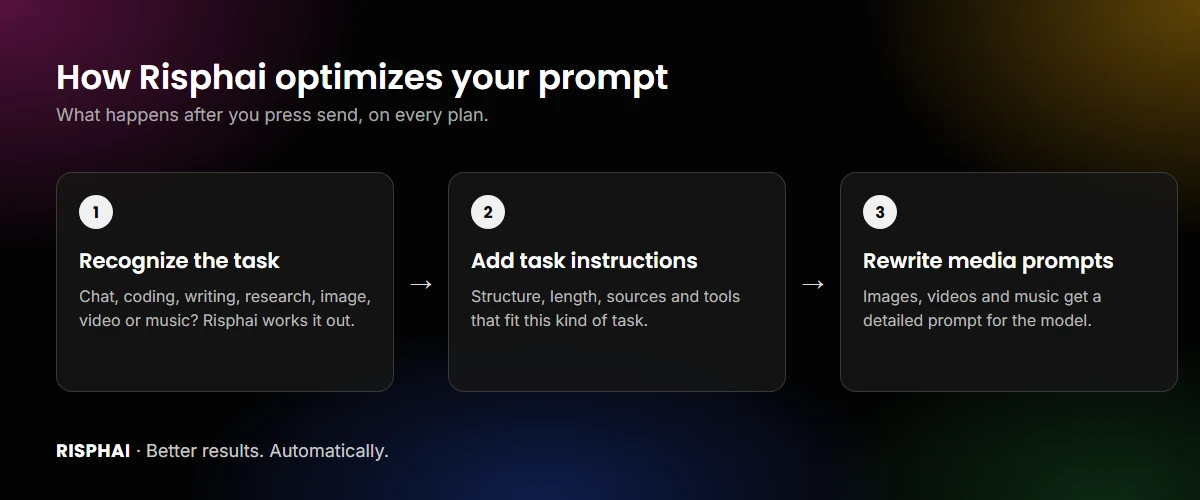
What happens to your prompt after you press send.
1. It recognizes the type of task
Before anything else, Risphai works out what kind of request you sent. It reads your message, the conversation so far and any files or images you attached, and sorts the request into a task type:
Task type
Examples
Chat
Questions, explanations, summaries, advice
Reasoning
Math, logic, step-by-step problems
Coding
Writing, explaining and fixing code
Writing
Stories, emails, posts, essays
Web search and research
Current events, prices, facts that need sources
Reading links
Summarizing or answering questions about a web page
Image generation and editing
New images, or changes to a photo you uploaded
Video
Videos from a description or from an image
Music and sound effects
Songs and short sound effects
Scheduled tasks
Requests you want Risphai to run later
The task type decides which model and tools handle your request, and which instructions come with it.
2. It adds instructions written for that task
A good answer to a math problem looks different from a good short story. So each task type comes with its own instructions, which Risphai adds to your request for you. They cover things like:
How to structure the answer, for example with headings, lists or tables when they make it easier to read.
How long to be. Use Auto, Short or Long in the / menu to change it.
When to look things up. For recent or uncertain facts, Risphai is instructed to search the web instead of guessing, and to show sources.
Which tools to use, such as running code, making charts or files, showing a map or building a quiz.
Your preferences, such as the name in your profile, so answers feel personal without you repeating yourself.
You write one sentence, and the model receives that sentence plus instructions written for that kind of task.
3. It rewrites image, video and music prompts
Media models need much more detail than chat models. A text model can answer "a cat on a rooftop" with a question, but an image model has to decide everything at once: the cat, the roof, the time of day, the light, the camera angle and the shape of the image.
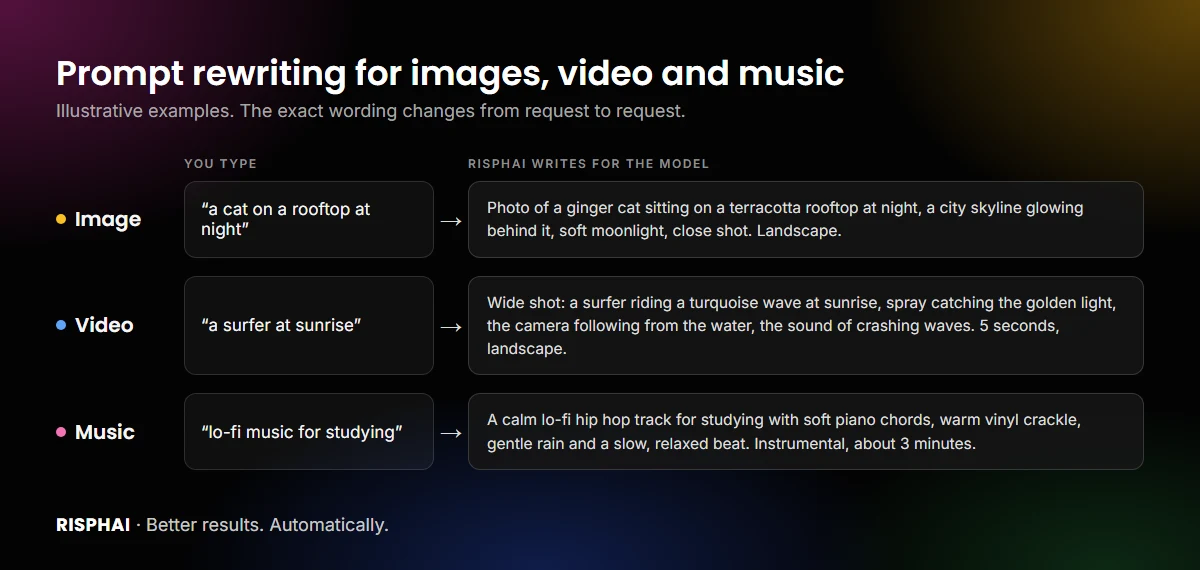
So when you ask for an image, a video or music, Risphai turns your request into a detailed prompt for the media model:
Illustrative examples. The exact wording changes from request to request.
Images: the subject, the setting, the lighting, the framing, the style (photo, anime or something else) and the format (square, landscape or portrait). Text you want in the image is kept word for word.
Image editing: a clear description of what to change in your photo.
Videos: the scene, the movement, the camera, the sound and a length of 5 to 15 seconds.
Music: the genre, the mood, the instruments and, if you want, lyrics with a song structure. Short sounds become sound effects of up to 30 seconds.
Media prompts are written in English, the language media models usually understand best, so you don't have to write your request in English yourself.
Prefer your own wording? Say "Use my prompt exactly" or "Don't rewrite my prompt," and Risphai uses your words as they are. See the results this can give in AI Images, Videos and Music in One Chat.
Big AI companies optimize prompts too. When OpenAI introduced DALL·E 3, its research paper described using GPT-4 to "upsample" short image prompts into much more detailed ones, which helped the image model follow them.
Predefined Prompts for Everyday Tasks
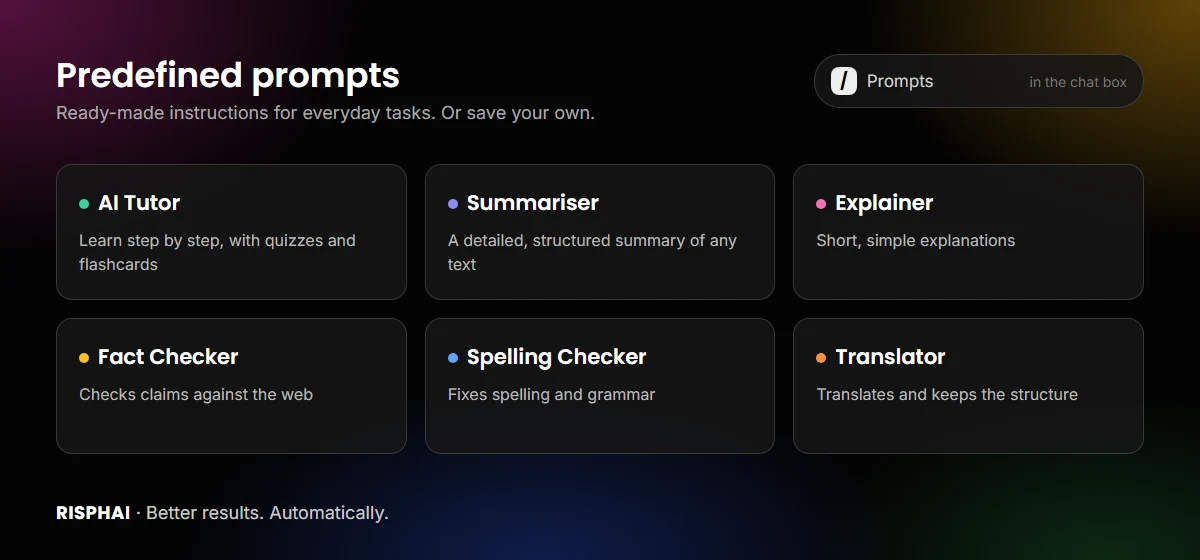
Some tasks come up again and again. For those, Risphai has predefined prompts: ready-made instructions you can use without writing them yourself.
Type / in the chat box and open Prompts to use them.
Prompt
What it does
AI Tutor
Helps you learn a topic step by step instead of giving the answer straight away, and can make quizzes or flashcards
Summariser
Writes a detailed, well-structured summary of a text
Explainer
Explains a text in short, simple words
Fact Checker
Checks the claims in a text using the web and tells you whether they hold up
Spelling Checker
Fixes spelling and grammar and returns the corrected text
Translator
Translates a text into the language you choose and keeps its structure
To use one, type / in the chat box, open Prompts and choose a prompt. Fill in the text or topic, and Risphai puts the complete prompt into the chat box, ready to send.
Save Your Own Reusable Prompts
Do you paste the same instructions every week? Save them as a prompt. Choose New Prompt in the / menu or open the Prompts page, give it a name and write your instructions once.
Add placeholders in double curly braces, such as {{topic}} or {{audience}}. When you use the prompt, Risphai asks you to fill them in. For example:
Write a LinkedIn post about {{topic}} for {{audience}}. Keep it under 150 words, start with a strong first line and end with a question.
Saved prompts show up in the / menu next to the predefined ones. The Free plan includes 3 saved prompts, Lite and Pay As You Go 30, Standard 60 and Premium 150.
You Stay in Control
Automatic doesn't mean you lose control:
Use your exact words. Ask Risphai not to rewrite an image, video or music prompt.
Choose the task type. In Advanced mode, use the / menu to treat a message as chat, reasoning, coding or writing.
Set the length. Choose Auto, Short or Long answers.
See which model answered. Open the response info on any answer to see the model and the credits it used.
Keep refining. Ask for changes in the same chat, and Risphai builds on the conversation so far.
Free Plan vs. Paid Plans
Automatic prompt optimization works on every plan. Paid plans give it more to work with:
Free
Paid plans (Lite, Standard, Premium)
Credits per month
100
3,000, 7,500 or 20,000
Automatic prompt optimization
Yes
Yes
Predefined prompts
Yes
Yes
Saved prompts
3
30, 60 or 150
Image prompts rewritten for you
Yes
Yes
Video, music and sound effect generation
No
Yes
Quality presets
Cost Efficient
All five
Choose the model yourself
No
Yes
Quick and Deep Research
No
Yes
Pay As You Go credits also include video and audio generation and 30 saved prompts. Credit use depends on the request, and the exact credits are shown for each response. Current prices are on the Pricing page.
Prompts to Try
Short requests are fine. Risphai adds the rest:
"A cozy reading nook by a rainy window." (image)
"Make this photo look like it was taken in winter." (with a photo attached)
"A drone shot over a misty forest at sunrise." (video, on a paid plan)
"An upbeat synth-pop song about a summer road trip." (music, on a paid plan)
"Explain compound interest with an example." (chat)
"Write a polite email asking my landlord to fix the heating." (writing)
Do You Still Need Prompt Engineering?
Usually not. Risphai handles the structure, the task-specific instructions and the media details for you, so a plain sentence is enough to start. What still helps is telling Risphai what only you know: who it's for, what you like and what you don't. Prompt optimization takes care of the rest.
Try Prompt Optimization on Risphai
Write the way you talk and let Risphai turn it into a clear, detailed prompt. Start free with 100 credits every month, no credit card needed, or compare plans on the Pricing page to unlock video and music generation, more saved prompts and every quality preset.
Frequently Asked Questions
What is prompt optimization?
Prompt optimization is the process of improving the instructions you give an AI model so it gives a better result. It usually means adding the details, context and format the model needs, either by rewriting the prompt yourself or by letting a tool improve it automatically.
What is the difference between prompt optimization and prompt engineering?
Prompt engineering is the broader skill of designing prompts for AI models. Prompt optimization is the practical part of it: taking a prompt and improving it so the result gets better. Tools like Risphai do much of this automatically, so you don't have to learn prompt engineering to get good results.
Is there an AI that optimizes prompts automatically?
Yes. Risphai improves every request automatically. It works out what kind of task you're asking for, adds instructions written for that task and, for images, videos and music, rewrites your request into a detailed prompt for the media model. It works on every plan, including the Free plan.
Does Risphai change my prompt when I create images, videos or music?
By default, yes. Risphai adds details such as the subject, setting, lighting, framing, style and format, or the genre and instruments for music. If you want your exact words to be used, say so in your message, for example "Use my prompt exactly."
What are predefined prompts in Risphai?
Predefined prompts are ready-made instructions for common tasks. Risphai includes AI Tutor, Summariser, Explainer, Fact Checker, Spelling Checker and Translator. Type / in the chat box, open Prompts and choose one, then add your text.
Can I save my own prompts in Risphai?
Yes. Create reusable prompts on the Prompts page or with New Prompt in the / menu, and add placeholders like {{topic}} that you fill in each time. The Free plan includes 3 saved prompts, Lite and Pay As You Go 30, Standard 60 and Premium 150.
Is prompt optimization free on Risphai?
Yes. Automatic prompt optimization is part of every plan, including the Free plan with 100 credits every month. Paid plans add more credits, higher quality presets, more saved prompts, video and music generation and research. Current prices are on the Pricing page.
How do I write a good AI prompt?
Say what you want, who it's for and what the result should look like. Add context, give an example if you have one, mention limits like length or tone, and refine the result in follow-up messages. Risphai adds much of this structure for you, but your own details still make the biggest difference.